Building Product Pages
Building Product Pages
Beginner
Launch
3:43
How to build a Shopify product page in Framer
1. Create a CMS page
Create a new page in Framer and set it as a CMS page linked to your Shopify connected collection.
2. Clear the canvas
Remove the default elements. Add your header, nav and anything else you want on every product page.
3. Add the product page component
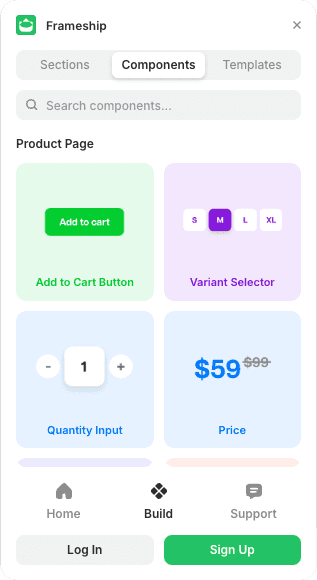
Open Frameship, go to Components, and drag in the Product Page Component.
4. Link each field to Shopify
Select each element and use the Content settings to connect it:
Product title goes to Title
Product category goes to Product Type
Then price, inputs, add to cart and buy now
This part is manual, so check each element one at a time.
💡 Important: Products have to live on a CMS detail page. Components and the cart won't work properly anywhere else.
Common questions
Why isn't my product data showing?
Every field is linked by hand, so one missed element is usually the cause. Go through them individually and check each is pointing at the right Shopify field.
Do I need a separate page for every product?
No. One CMS detail page serves every product in the collection.